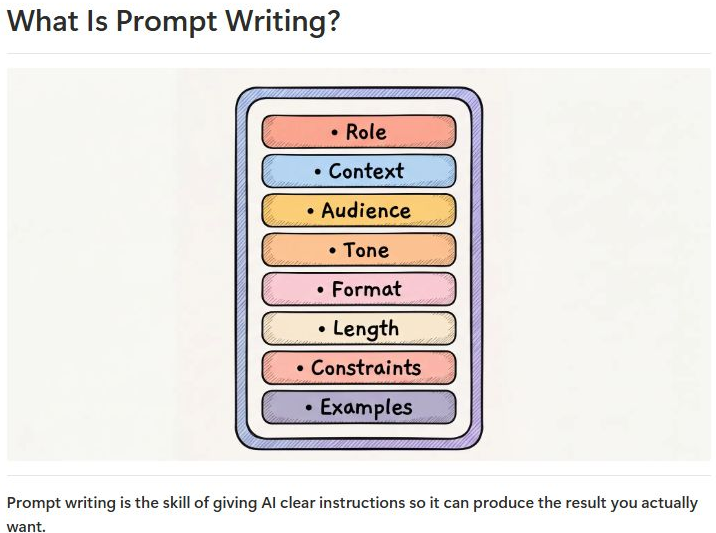
Write a clearer prompt.
Learn how context, instructions, and examples help you ask for what you need.
View excerpt

Explore the AI Library from Smarter with AI. One payment. No recurring subscription.

Smarter with AI Library
Learn to write better prompts, create content, and build useful projects with guides and examples you can follow.
Practical walkthroughs, adaptable prompts, and curated resources—all organized in one Notion library.
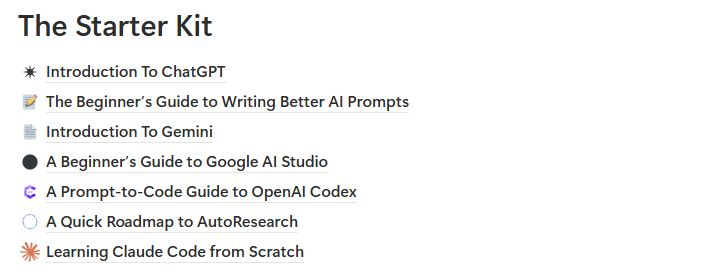
Read a guide. Try the steps in your AI tool. Return when your next task calls for a different approach.
Choose a guide, follow a walkthrough, or adapt a prompt to your own work.
Learn how context, instructions, and examples help you ask for what you need.

See the steps and sample prompt in a LinkedIn carousel tutorial using ChatGPT and Canva.
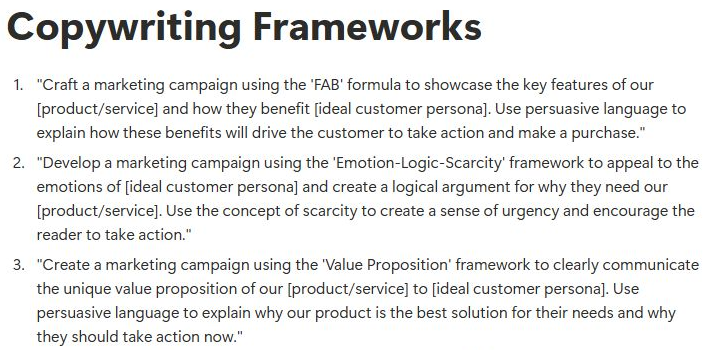
Replace the placeholders with your audience, offer, and message.

Explore a PowerPoint walkthrough with a slide prompt you can adapt to your audience.

Follow a Claude Artifacts example for describing an app and answering its follow-up questions.

Use a beginner checklist to find your way around Google AI Studio and test your first idea.
Learn to give AI useful context, clear instructions, examples, and an output format. Start with beginner guides to prompting, ChatGPT, and Gemini, then explore more tools as you go.
Follow walkthroughs for LinkedIn carousels, presentations, product videos, visual notes, apps, and more. Choose a project and work through the instructions at your own pace.
Browse templates for writing, marketing, research, coding, business, and other tasks. Replace the placeholders, add your context, and adjust the instructions.
Explore tool directories, cheat sheets, and longer MonDive tutorials alongside the practical guides.
01Choose a task
02Follow a guide or adapt a prompt
03Apply it in your AI tool
Looking for more ideas? The linked public Creator Content Hub lets you explore posts from people working with AI and follow links to their original LinkedIn posts.
Access to the Smarter with AI Notion library: guides, practical tutorials, adaptable prompts, and curated resource links. You read the material and apply it using the relevant AI tools.
Yes. The library includes introductory guides to prompting and AI tools, alongside more advanced material you can explore when ready.
Your welcome email includes the Notion library access link. If you need help finding it, email [email protected].
The newsletter brings you AI ideas and resources through regular emails. The library organizes learning material so you can browse by topic and choose what to explore next. The newsletter remains free whether or not you buy.
No. It is a one-time payment with no recurring subscription.
You can request a refund within 30 days, no questions asked. Email [email protected] for help.
Smarter with AI Library
Learn a prompting technique. Follow a walkthrough. Adapt a template to your work.
One payment. No recurring subscription.
30-day, no-questions-asked refund guarantee.