
Welcome to the FriTorial
Today in FriTorial🔥
1,000+ ChatGPT Prompts
How to Turn YouTube Videos Into Notes with Gemini
Build and Launch Full-Stack Apps With Floot
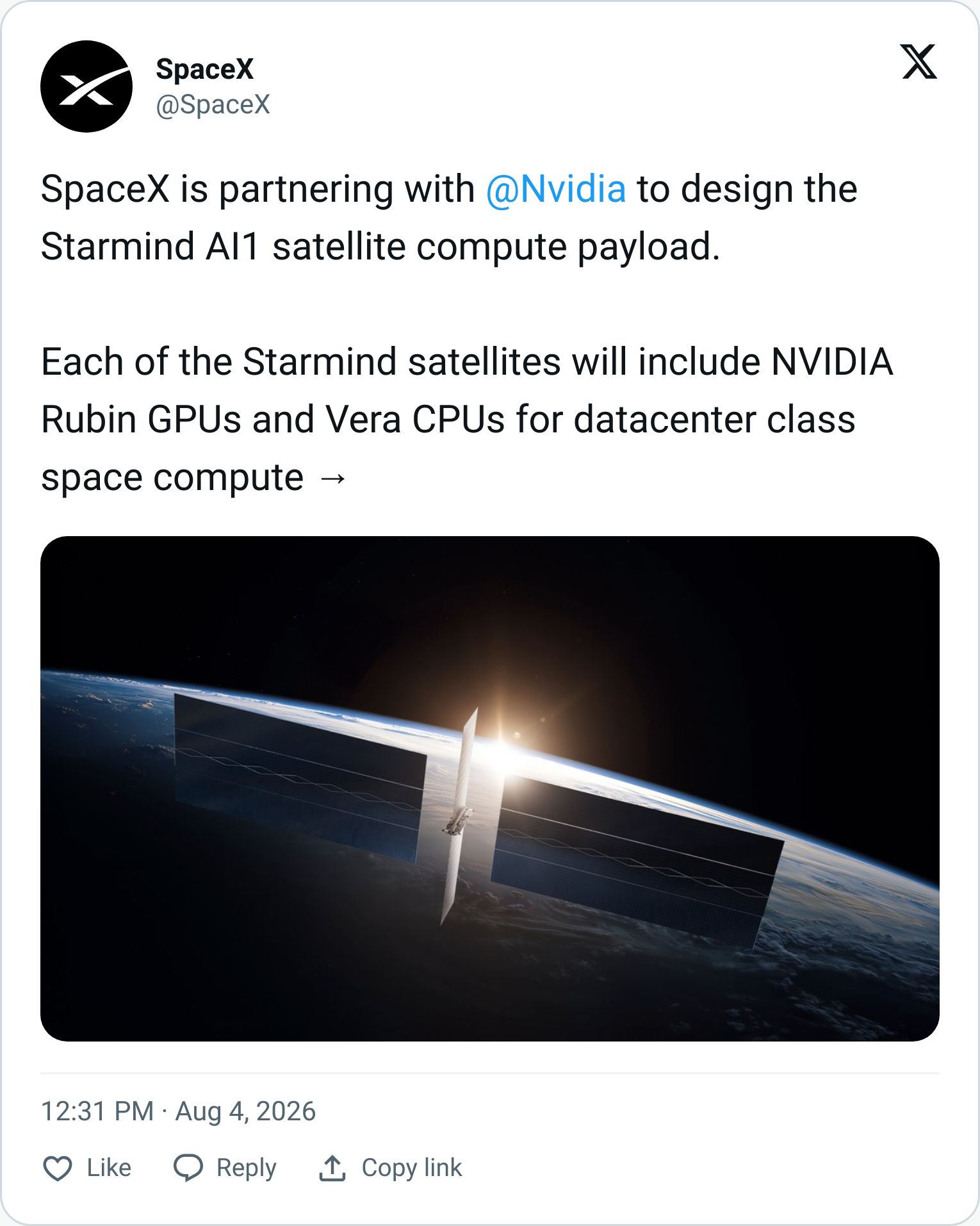
SpaceX and NVIDIA Are Building an AI Data Center in Space
Take control of your health with Lucis!
Trending AI Tools
Real or AI
Supercharge Your Productivity With 1,000+ ChatGPT Prompts from Superhuman AI

ChatGPT is insanely powerful.
But most people waste 90% of its potential by using it like Google.
Master AI and work 10X faster with 1,000+ proven ChatGPT prompts.
Sign up for Superhuman AI to get:
1,000+ ready-to-use prompts to solve problems in minutes instead of hours—tested & used by 1M+ professionals
Superhuman AI newsletter (3 min daily) so you keep learning new AI tools & tutorials to stay ahead in your career—the prompts are just the beginning
How to Turn YouTube Videos Into Notes with Gemini
Gemini Notebook can turn one or multiple YouTube videos into a searchable learning resource. You can extract key ideas, ask follow-up questions, compare videos, and create visual or audio summaries without watching every minute.
Step 1: Create a New Notebook
Open the Gemini app and select New Notebook.
Give your notebook a clear name based on the topic you want to study.

Step 2: Add YouTube Videos as Sources
Click Add sources, then select Add Websites.
Paste the link to the YouTube video you want to analyze. To add multiple videos, place each URL on a separate line.
Click Insert and wait a few seconds while Gemini processes the video transcripts.

Step 3: Ask Questions About the Videos
Use the prompt box to ask questions about the information contained in your video sources.
For example:
What are the key takeaways?

What practical actions should I take?

What important details might I have missed
Continue asking follow-up questions to explore particular ideas in more detail. Gemini will generate answers grounded in the videos you added.

Step 4: Explore the Videos in Full Notebook Mode
Select your notebook from the left sidebar, then click Gemini Notebook in the top-right corner to open the full experience.
From there, you can turn your video sources into audio overviews, infographics, mind maps, and other learning materials.

Because Gemini Notebook offers free access, students, creators, and professionals can use it to turn YouTube playlists into study notes, research summaries, comparison guides, and action plans. It is especially useful for preparing for exams, planning content, or organizing ideas from several videos in one reusable workspace.

Explore a world of 95+ Similar or more useful AI Tutorials, 2789+ curated AI Resources from 97+ AI creators on LinkedIn, packed with actionable tutorials and diverse prompts!
Build and Launch Full-Stack Apps With Floot

Floot is an AI app builder that helps non-coders and entrepreneurs create real web apps with backend, database, hosting, authentication, analytics, and SEO tools built in.
Best Features:
AI Full-Stack App Building: Describe your app idea in chat, and Floot builds the frontend, backend, database logic, and working app flow automatically.
Built-In Infrastructure: Includes hosting, database, user authentication, roles, analytics, and custom domains so users do not need separate developer tools.
SEO & Growth Tools: Adds real SEO support like sitemaps, robots.txt, and meta tags so apps can be discovered by search engines.
Visual Editing: Lets users refine the interface with point-and-click changes instead of relying only on prompts or code edits.
No-Code Launch Workflow: Helps users build, preview, host, and launch apps from one platform without Git, CLI, or external deployment setup.
SpaceX and NVIDIA Are Building an AI Data Center in Space
Build a Clearer Picture of Your Health With Lucis

Lucis is an AI-powered preventive health companion that turns lab tests, wearable data, and lifestyle context into personalized health insights and action plans.
Best Features:
Full-Body Health Tracking: Checks 100+ biomarkers across 11 body systems, giving users a broader view than standard blood tests.
Partner Lab Network: Works with 450+ regulated labs across Europe, making preventive testing easier to access.
AI Health Companion: Combines biomarker data, medical context, and longitudinal health data to deliver personalized guidance.
Personalized Action Plans: Provides practical recommendations across nutrition, supplementation, sleep, physical activity, and mental health.
Clinical Oversight: Uses AI with physician review and medical-board support, positioning it as a preventive companion rather than a replacement for doctors.
Trending AI Tools
Dreamina helps create AI images and videos.
AdsCreator helps turn websites into ready-to-run ads.
Typecast helps creators make voiceovers and talking avatars with AI.
Recrutly helps hiring teams screen candidates and build shortlists faster.
Reve helps creatives generate, edit, and control high-resolution images with AI.
Real or AI?

Is this image Real or AI-Generated?
Real or AI Result

Congrats to 66.67% of you who got it right
It was AI-Generated. That was a tough one 😁

Feedback
We’d love to hear from you!
Know someone who may be interested?
And that's a wrap on today's FriTorial!

